
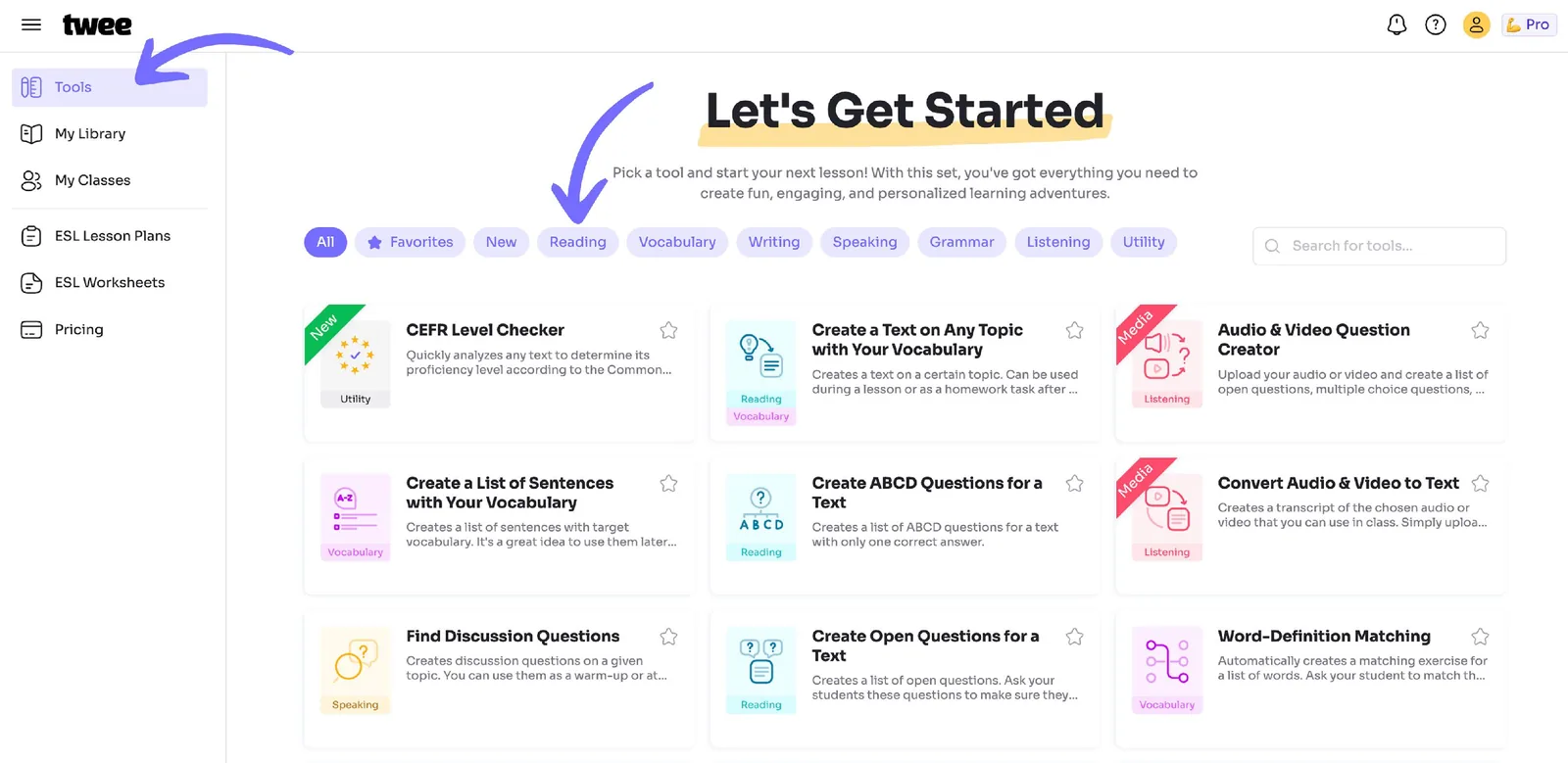
Step 1: Choose a skill in Tools
Click on Tools in the left sidebar and choose the skill you want to practice with your students (e.g., grammar, listening, reading).
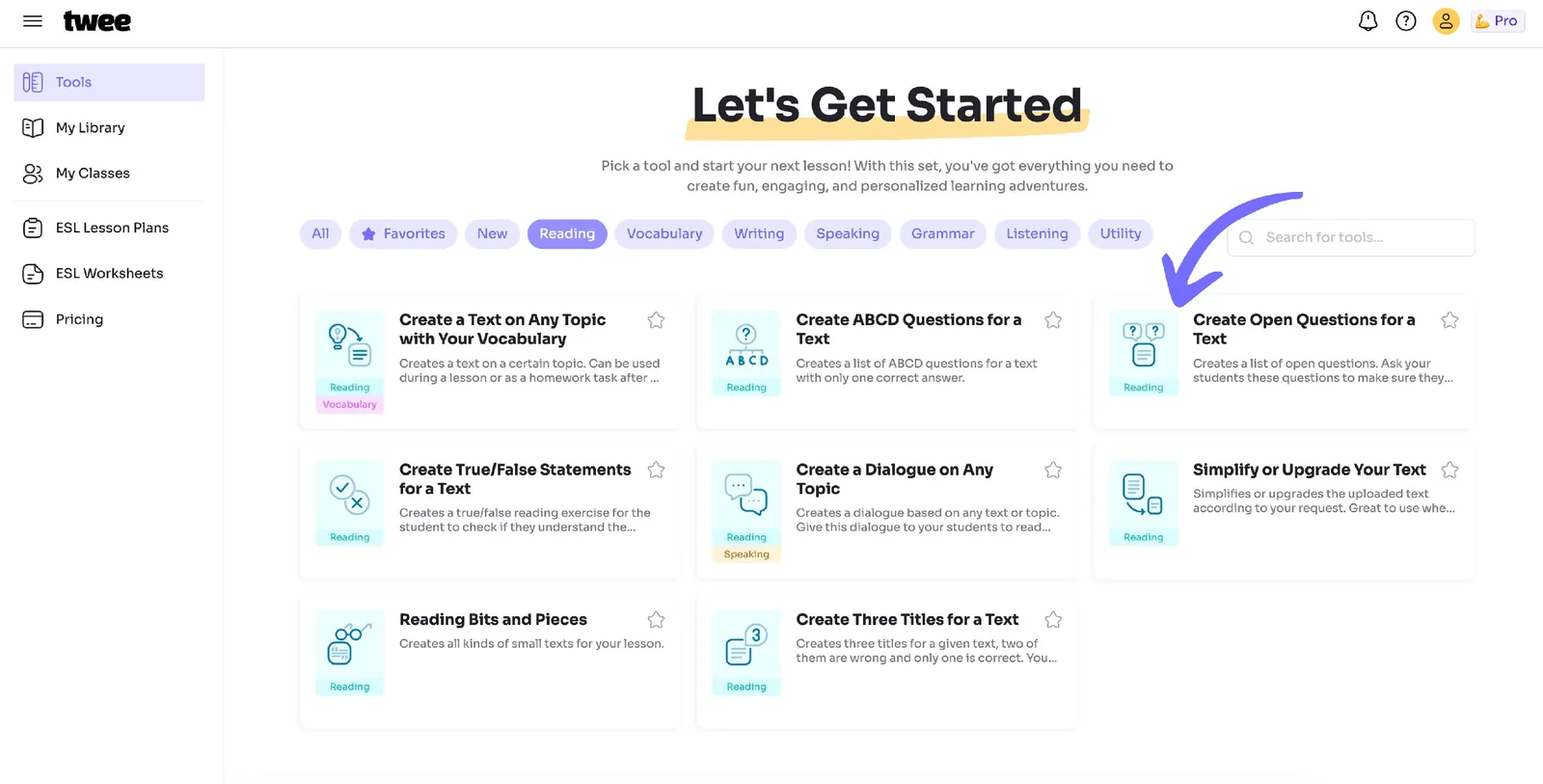
Step 2: Select a suitable tool
You will see a list of tools that can help you create exercises for this skill. Select the tool you find most suitable for your lesson or objective.
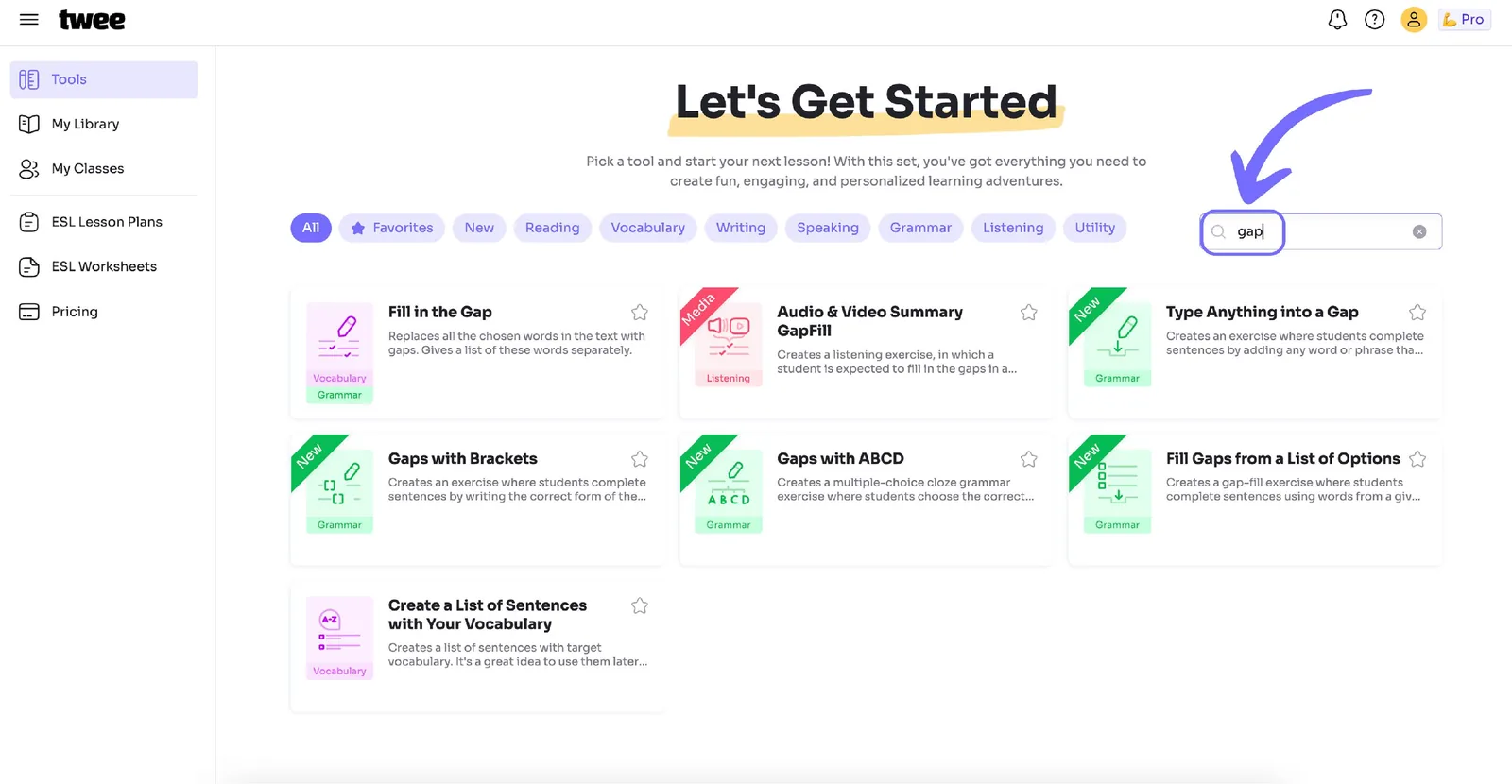
Step 3: Search by keyword
Optionally, you can use the search bar by typing keywords like “gap” to quickly find specific tools.
Now just open the tool and get started on your lesson content!