
Step 1: Start a new class
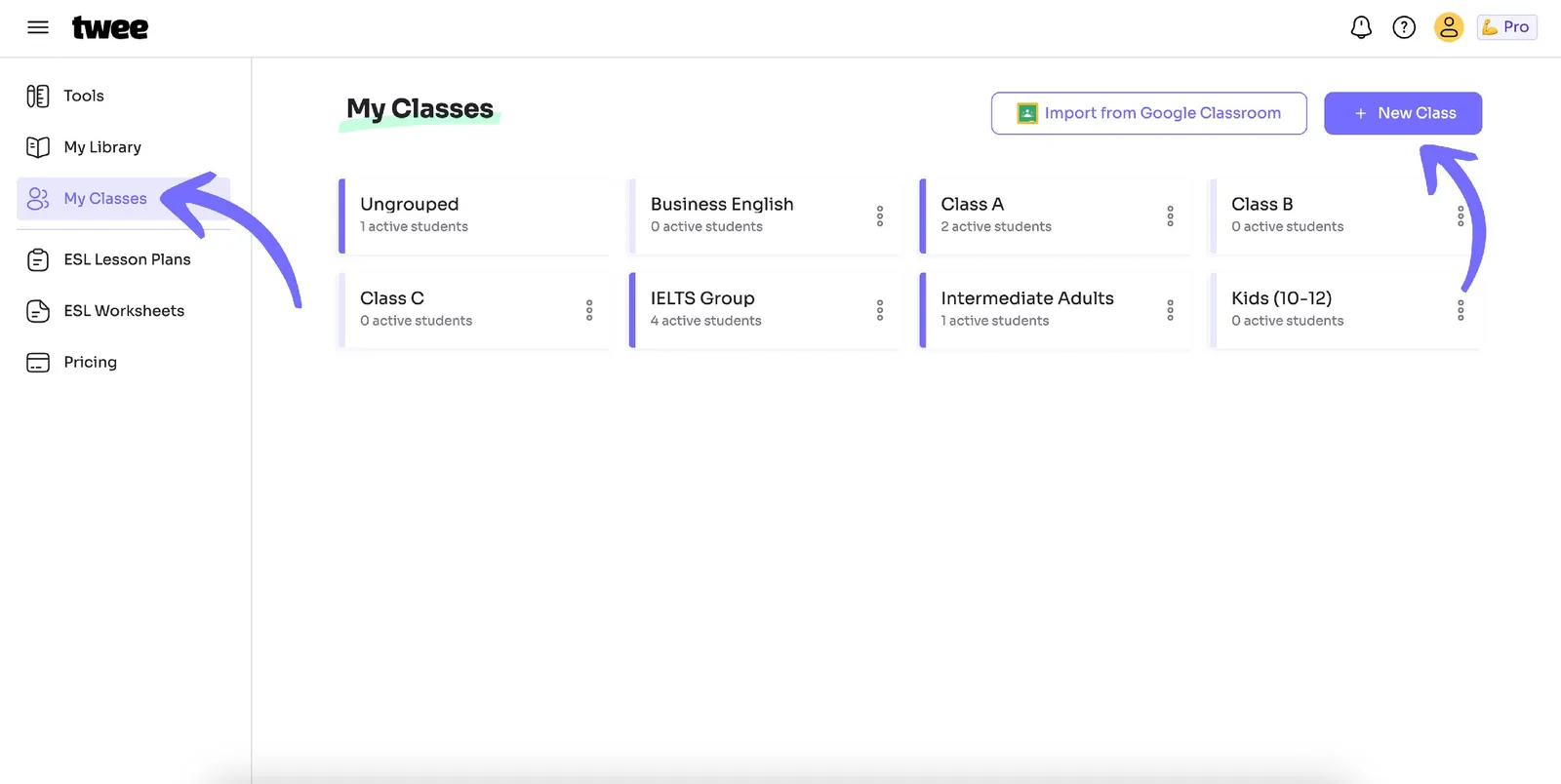
Go to My Classes and click on New Class.
Step 2: Name your class
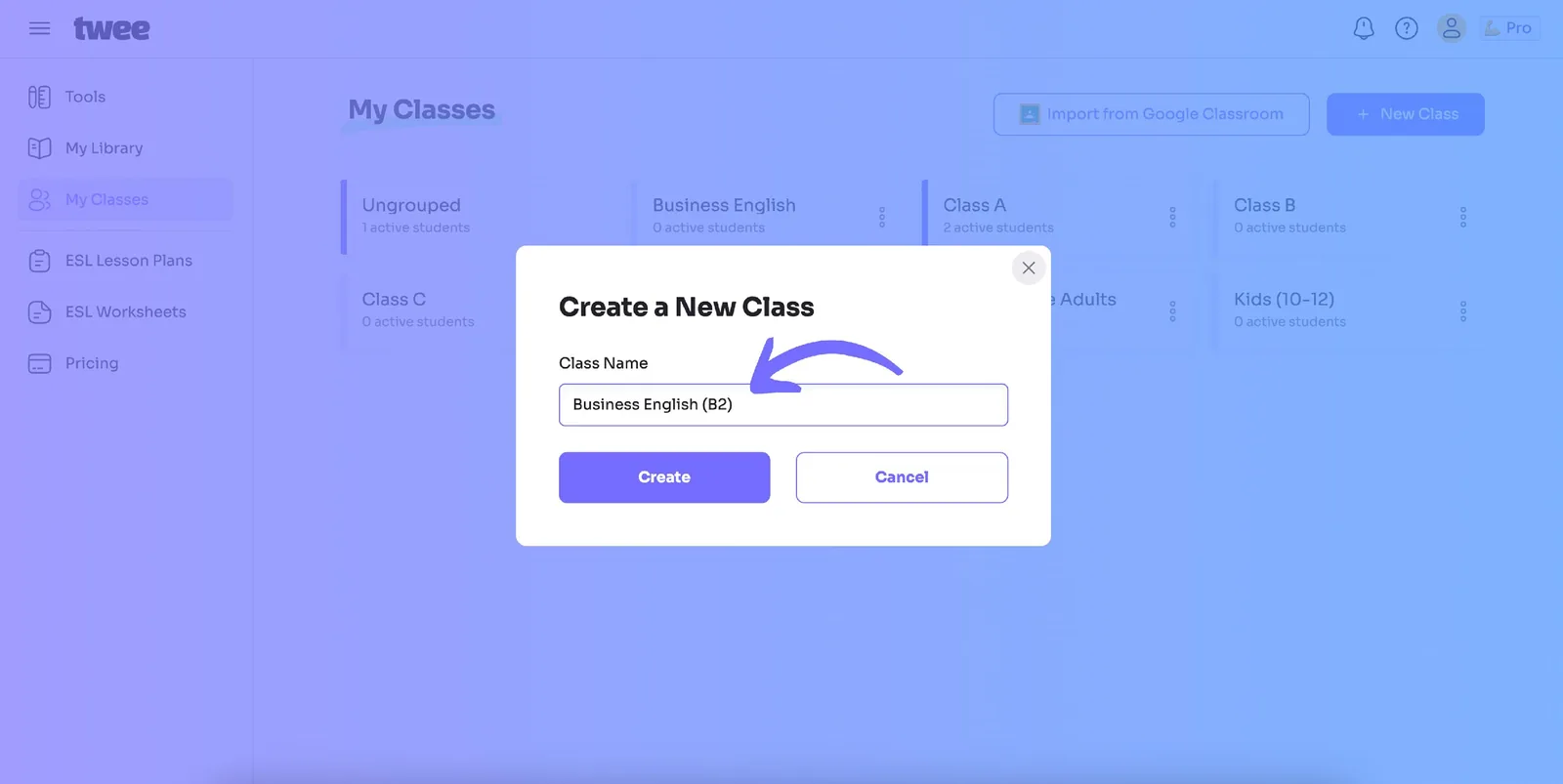
Give your class a name. For example, Business English (B2), Kids (A2, 10–12), or Class A. Once created, you'll be taken to the class page where you can start adding students.
Step 3: Add your students
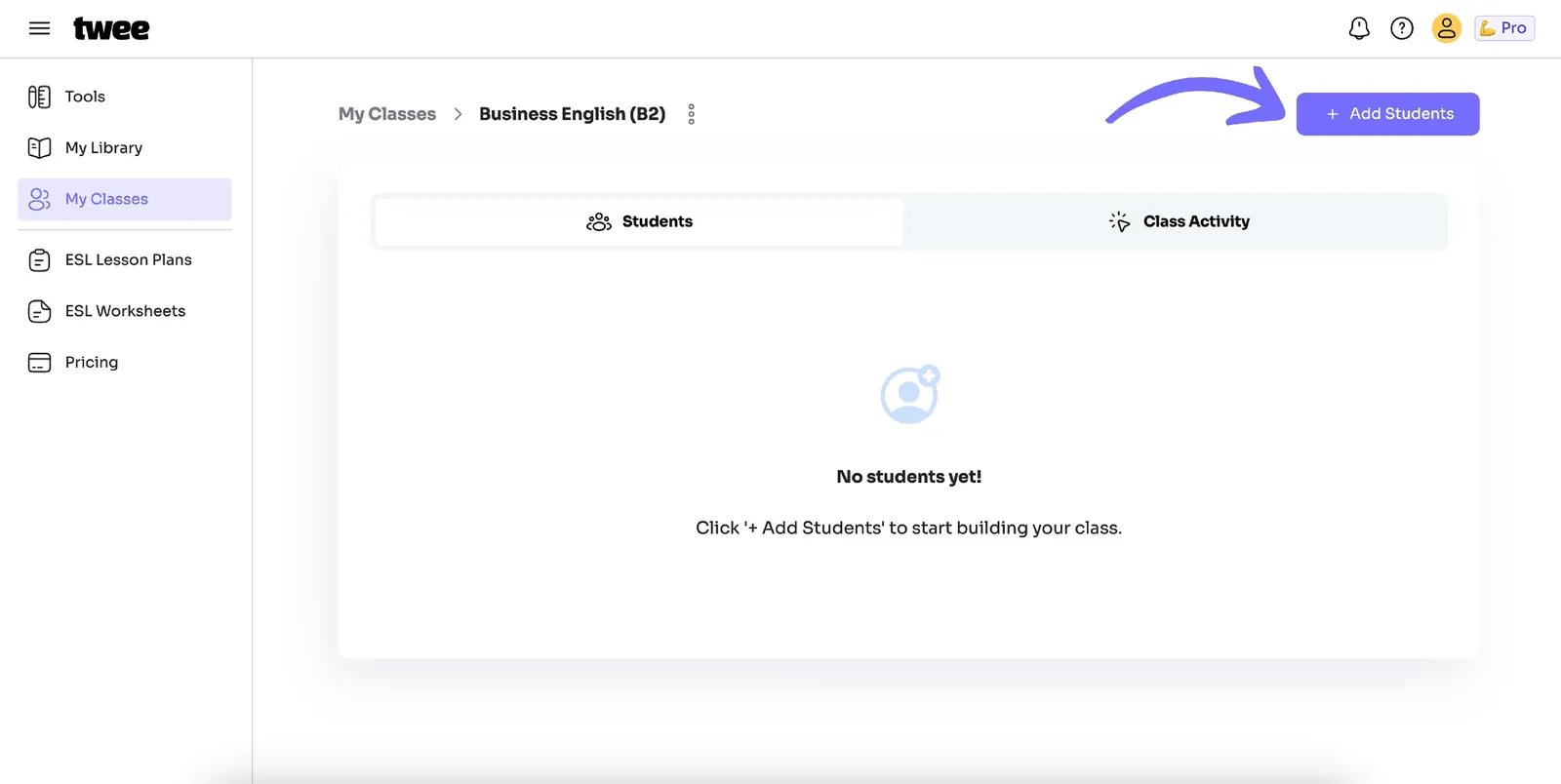
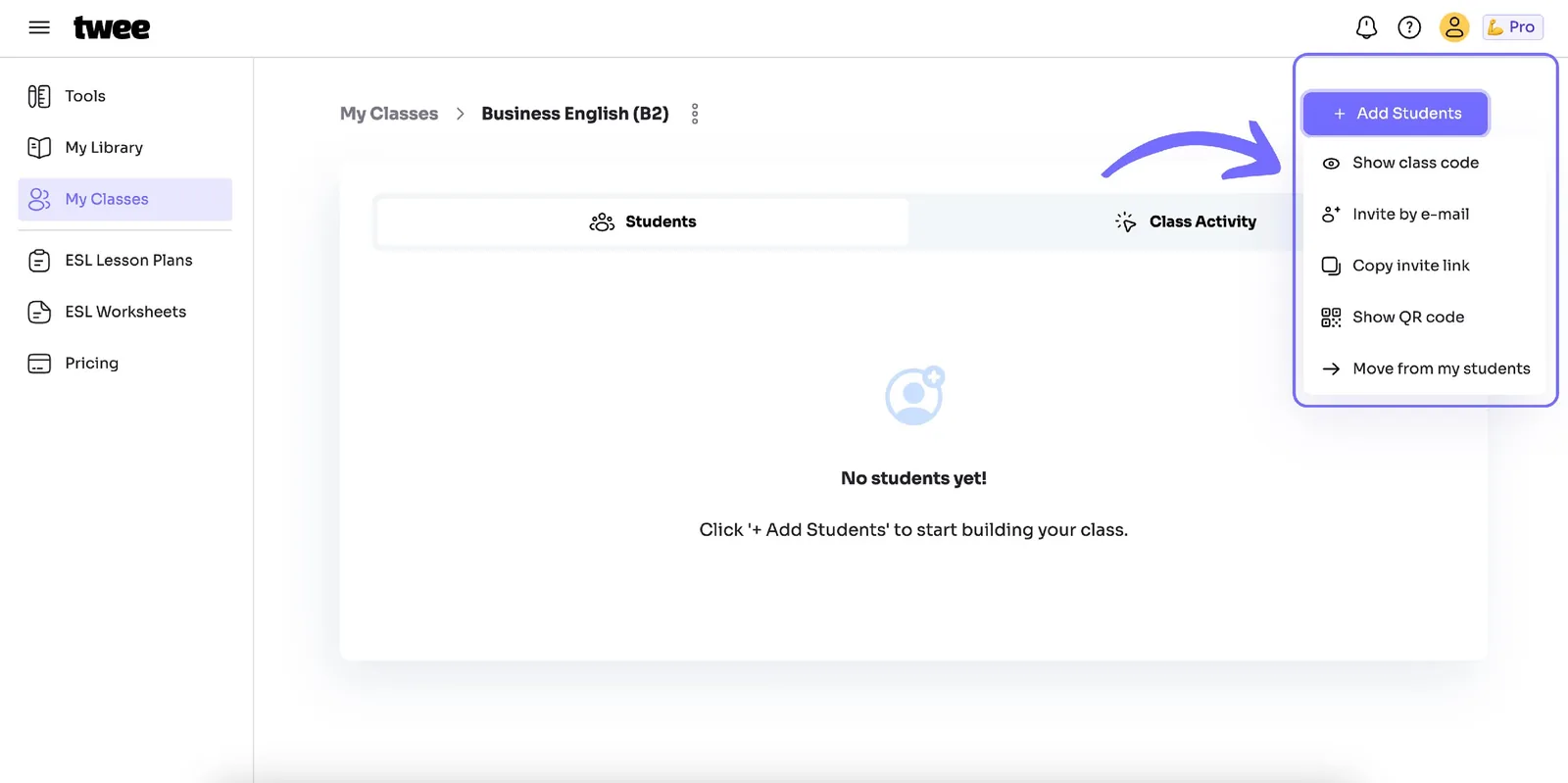
Click on Add Students, and you'll see a dropdown menu with several options:
- Invite by email
- Send a class link or QR code
- Share a class code
Choose the method that works best for you. Once your students have joined, you're all set — you can start assigning lessons right away.