
Step 1: Open the student's current class
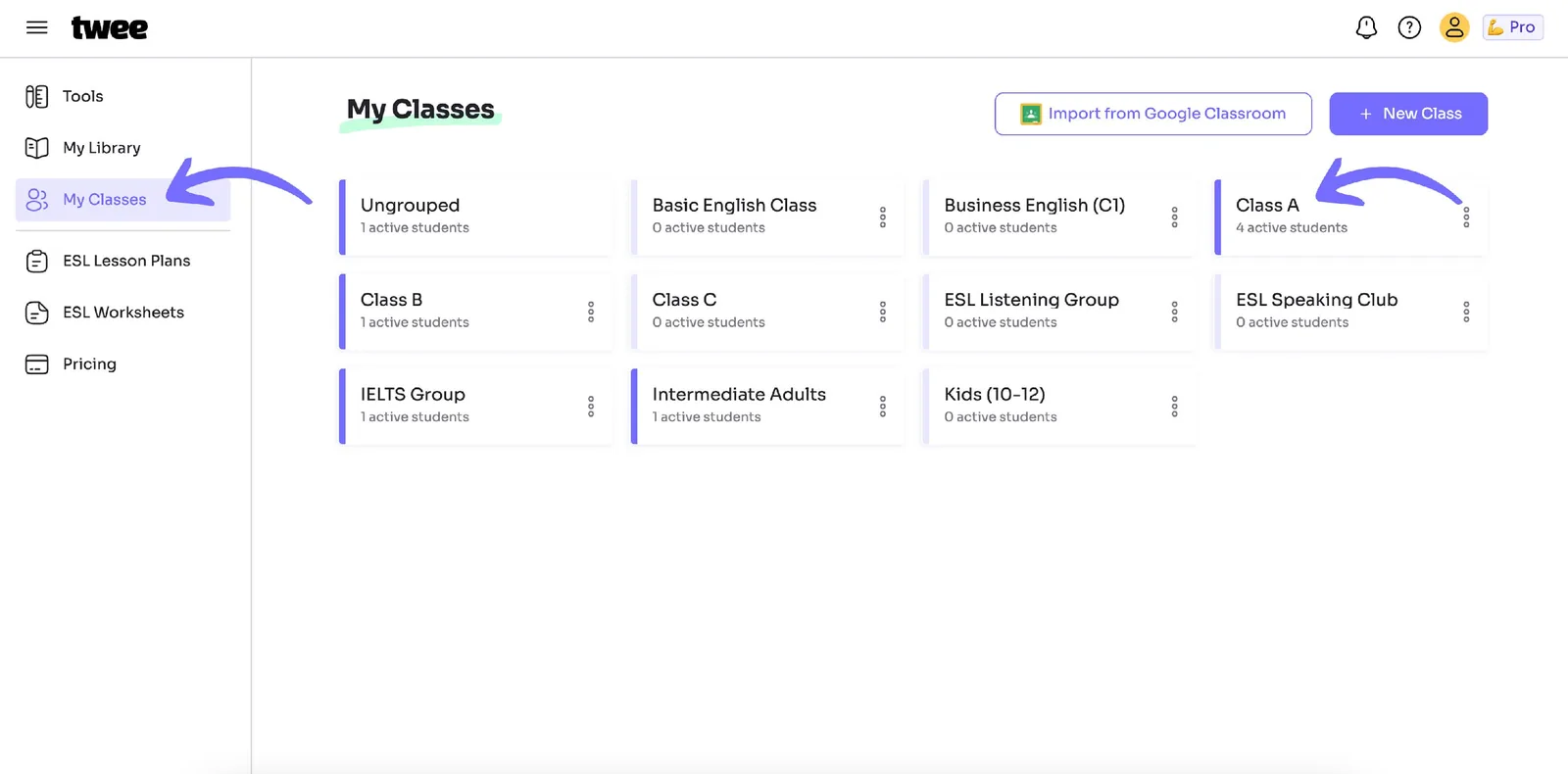
Go to My Classes and click on the class where your student is currently located.
Step 2: Choose Move student
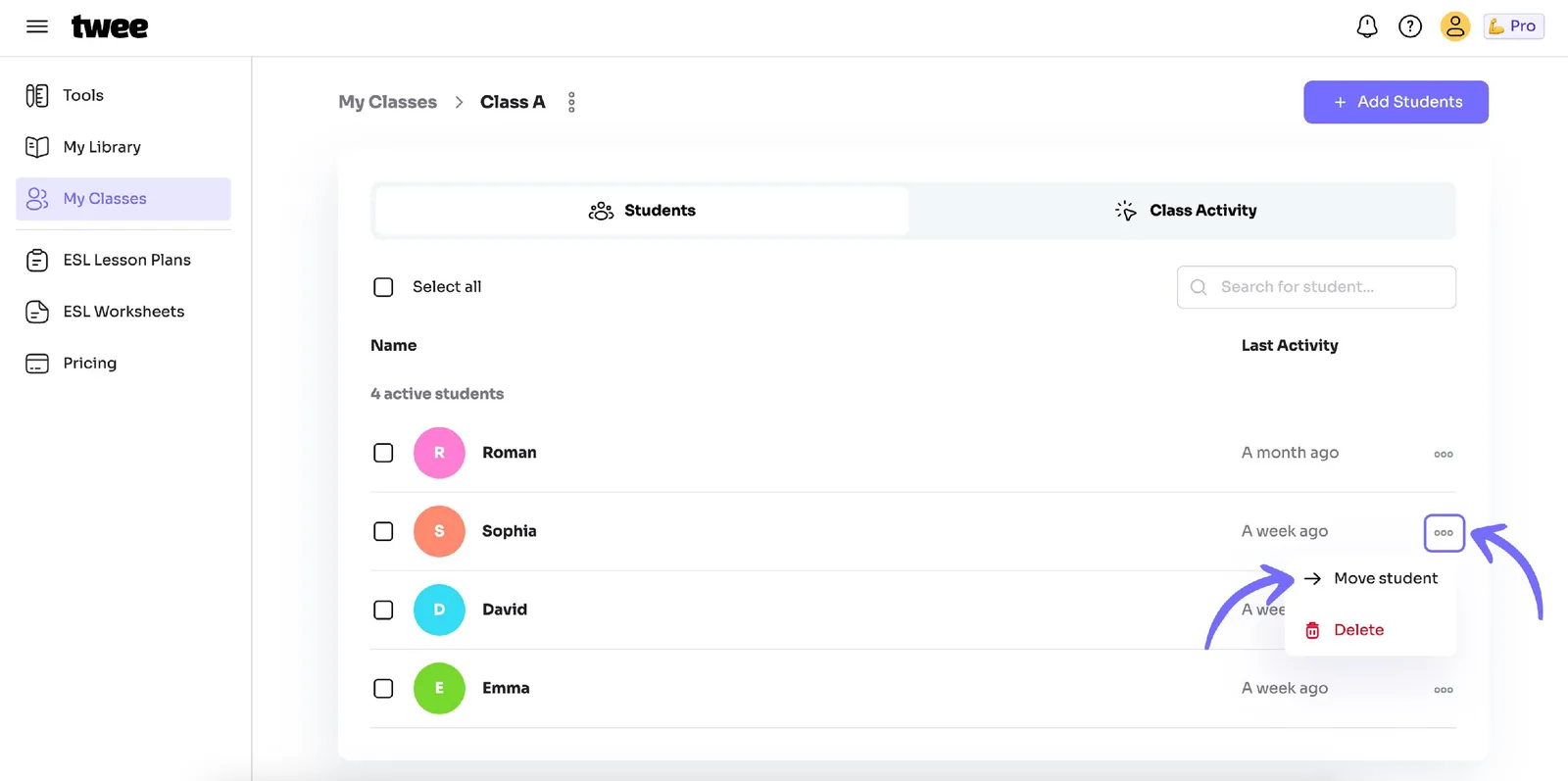
Click on the three dots next to your student's name (on the opposite side) and select Move student.
Step 3: Select the new class
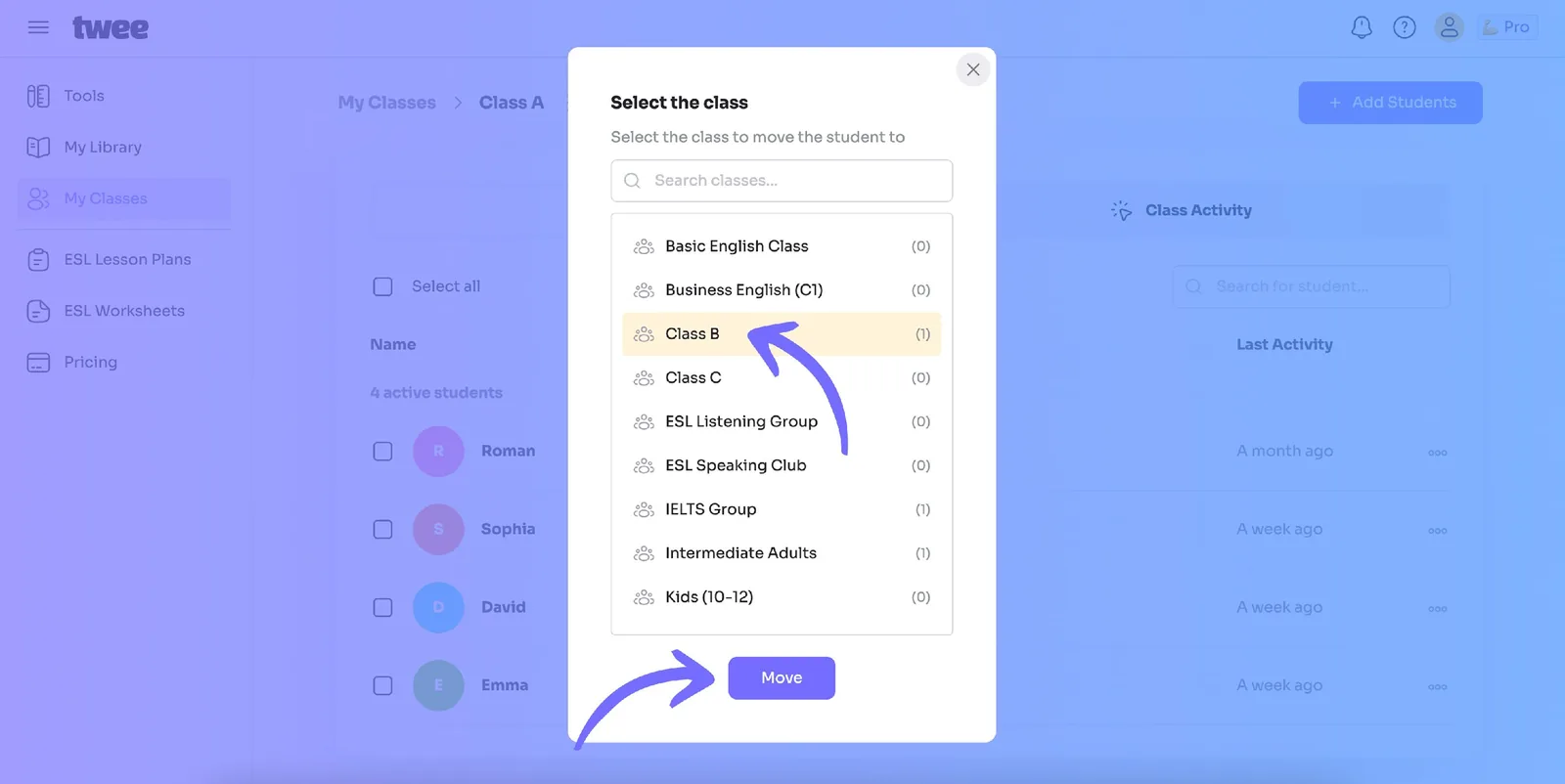
You’ll see a list of your available classes. Select the class where you want to move the student and click Move.
To move multiple students:
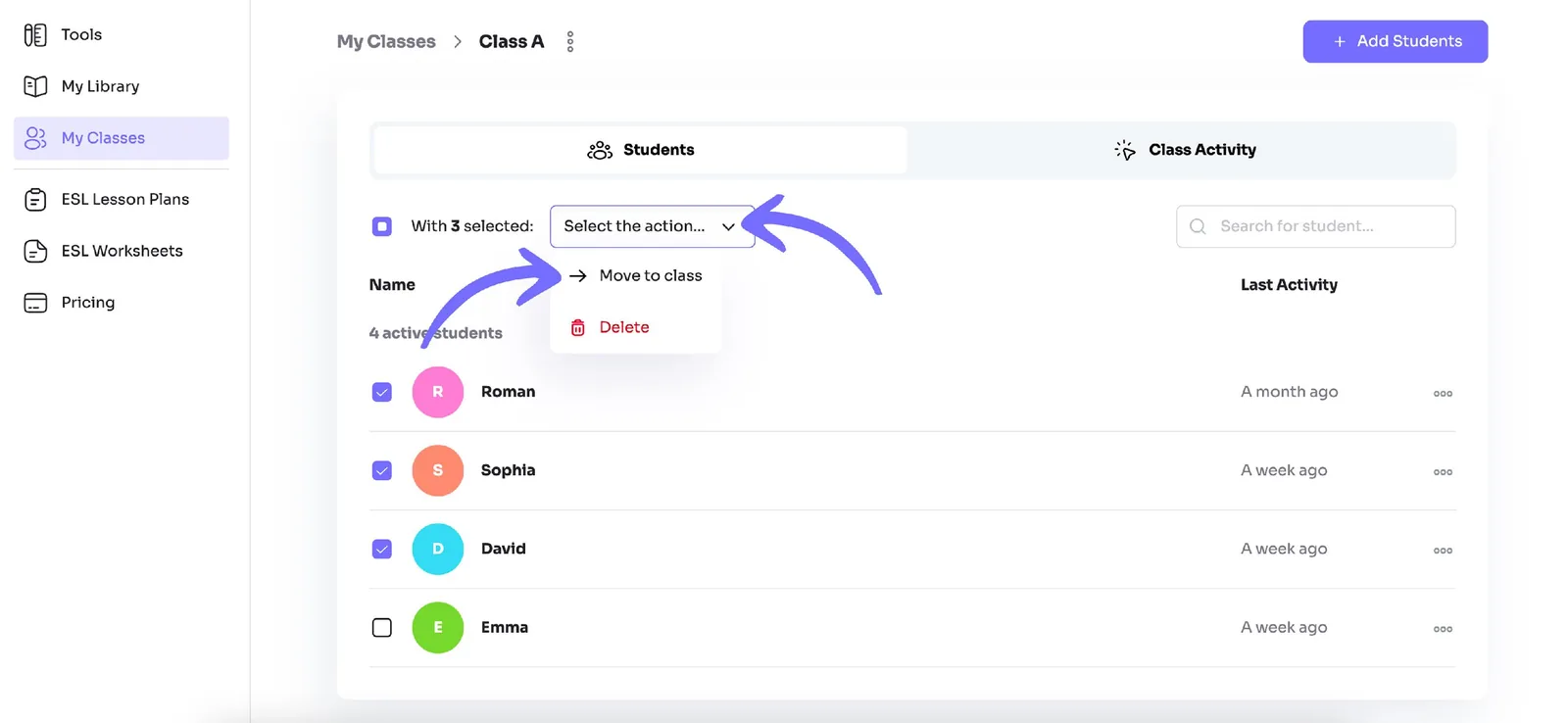
Step 4: Tick several students
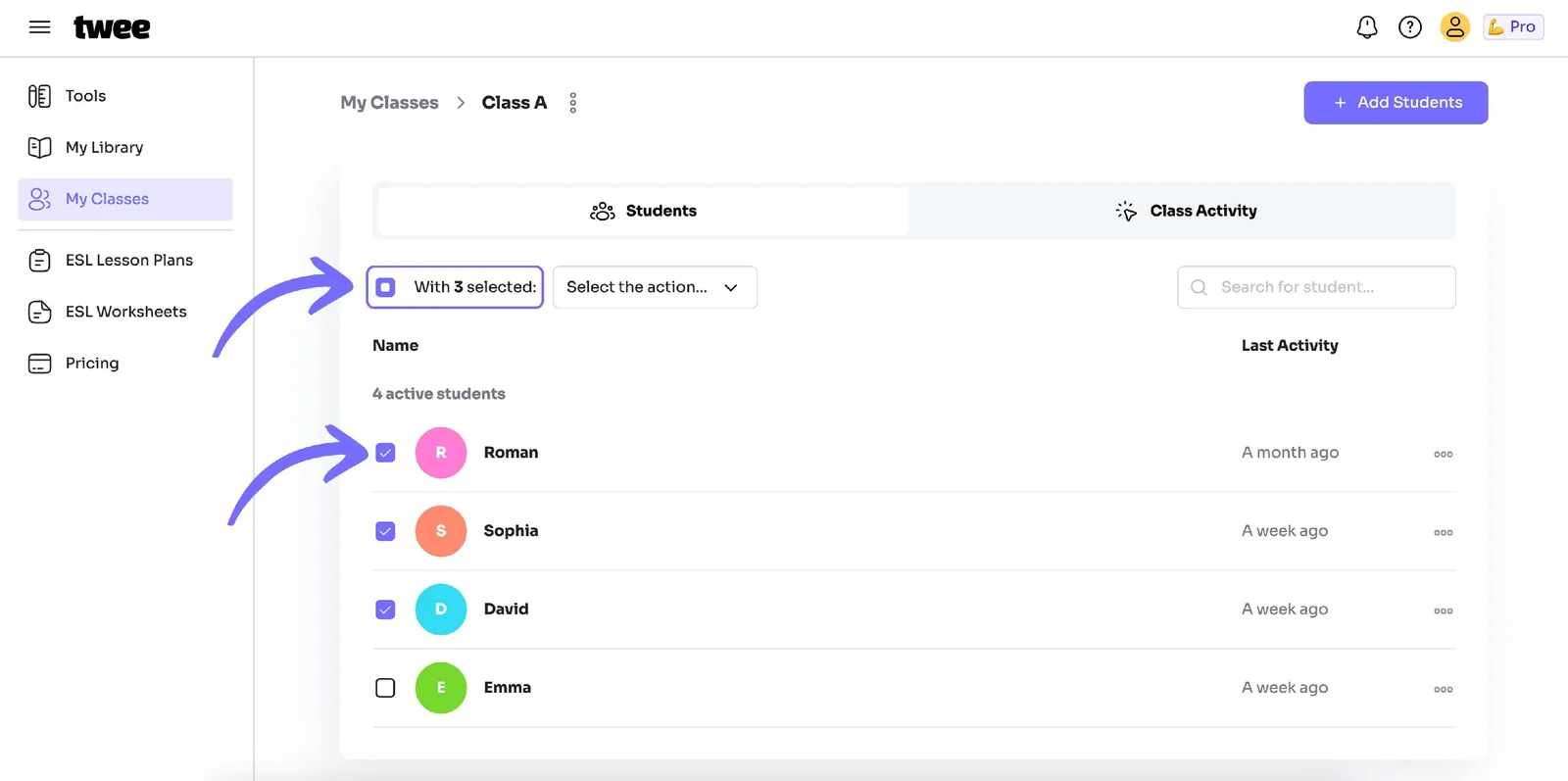
If you want to move several students, click the checkboxes next to their names.
Step 5: Pick Move to class
Above the list of names, open the Select the action dropdown menu and choose Move to class.
Step 6: Finish the move
After selecting the class you want to move the students to, follow the same steps as described above.