
You can change the email address on your Twee account yourself. If the new address already belongs to another Twee account, you can merge the two accounts in the same step.
Change your email
Step 1: Open Account Settings
Click the person icon in the top right corner of the screen, and then select Account Settings from the menu.
Step 2: Select Change Email
Click Change Email next to your current email address.

Step 3: Enter your new email
Enter your new email address and click Continue.
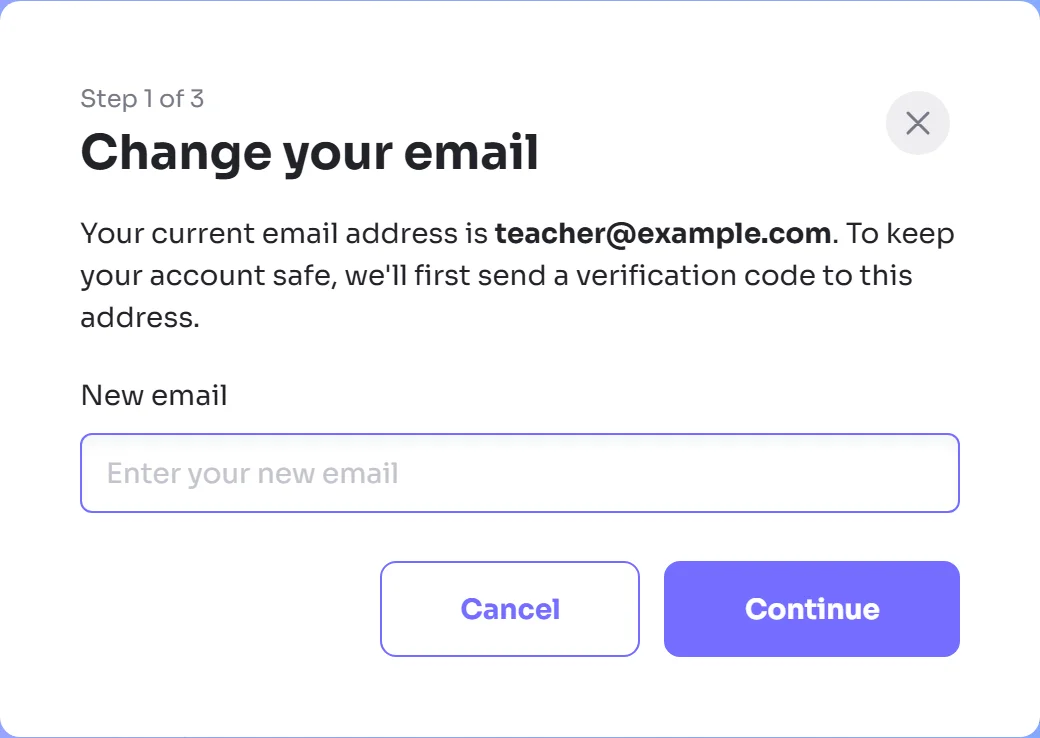
Step 4: Verify your current email
We send a 6-digit code to your current email address. Enter the code, or use the link in the email.
Step 5: Verify your new email
We send a second 6-digit code to your new email address. Enter it and click Change email.
Step 6: Sign in again
You're signed out on all your devices. Sign in with your new email address.
Merge two accounts
If the email address you enter belongs to another Twee account, we'll offer to merge that account into the one you're signed in to.
Step 1: Sign in to the account you want to keep
The account you're signed in to is the one that remains after the merge.
Step 2: Start the email change
In Account Settings, click Change Email and enter the email address of the other account.
Step 3: Confirm the merge
Tick Yes, merge the other account into this one and delete it, and then click Merge and continue.
Step 4: Verify both email addresses
Enter the 6-digit codes we send to both email addresses, and then click Merge accounts.
Step 5: Sign in again
You're signed out on all your devices. Sign in with the new email address.
What happens in a merge
- The other account's lessons, classes and plans move to the account you're signed in to.
- The other account is deleted.
- From now on, you sign in with the other account's email address.
- The account you kept stays the same type, teacher or student.
When a merge isn't possible
- Both accounts have a paid plan. This includes trials, team seats and plans awaiting payment. Cancel one of them, or contact support.
- One of the accounts is locked. Please contact support.
Common questions
I no longer have access to my current email. Please contact us through the support form, because a code has to be sent to that address.
My account isn't confirmed yet. You can change your email on the activation page you see after signing up.
I have a student account. Students can't change their email from their settings. Please contact us through the support form.