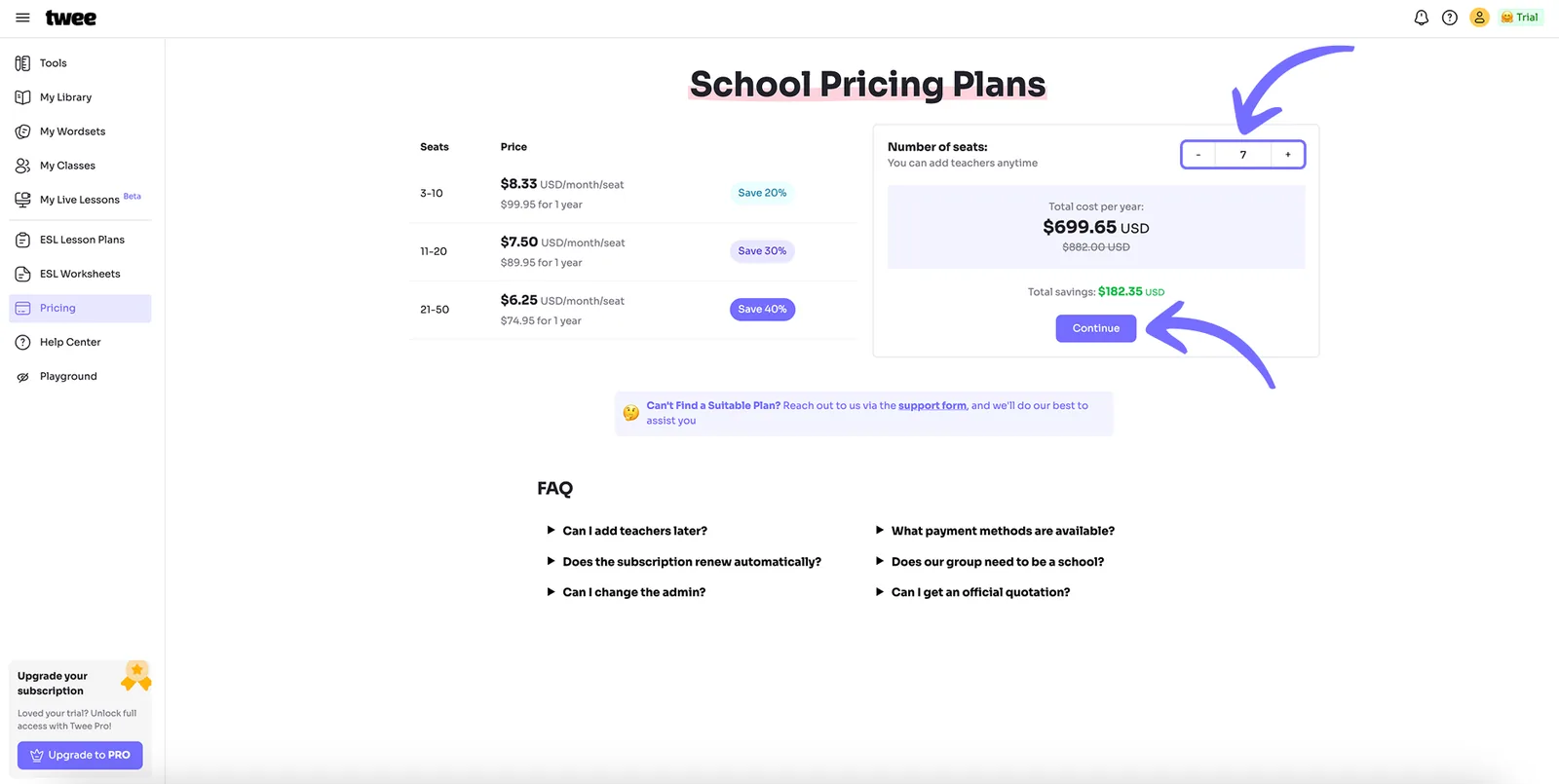
Step 1: Enter your plan details
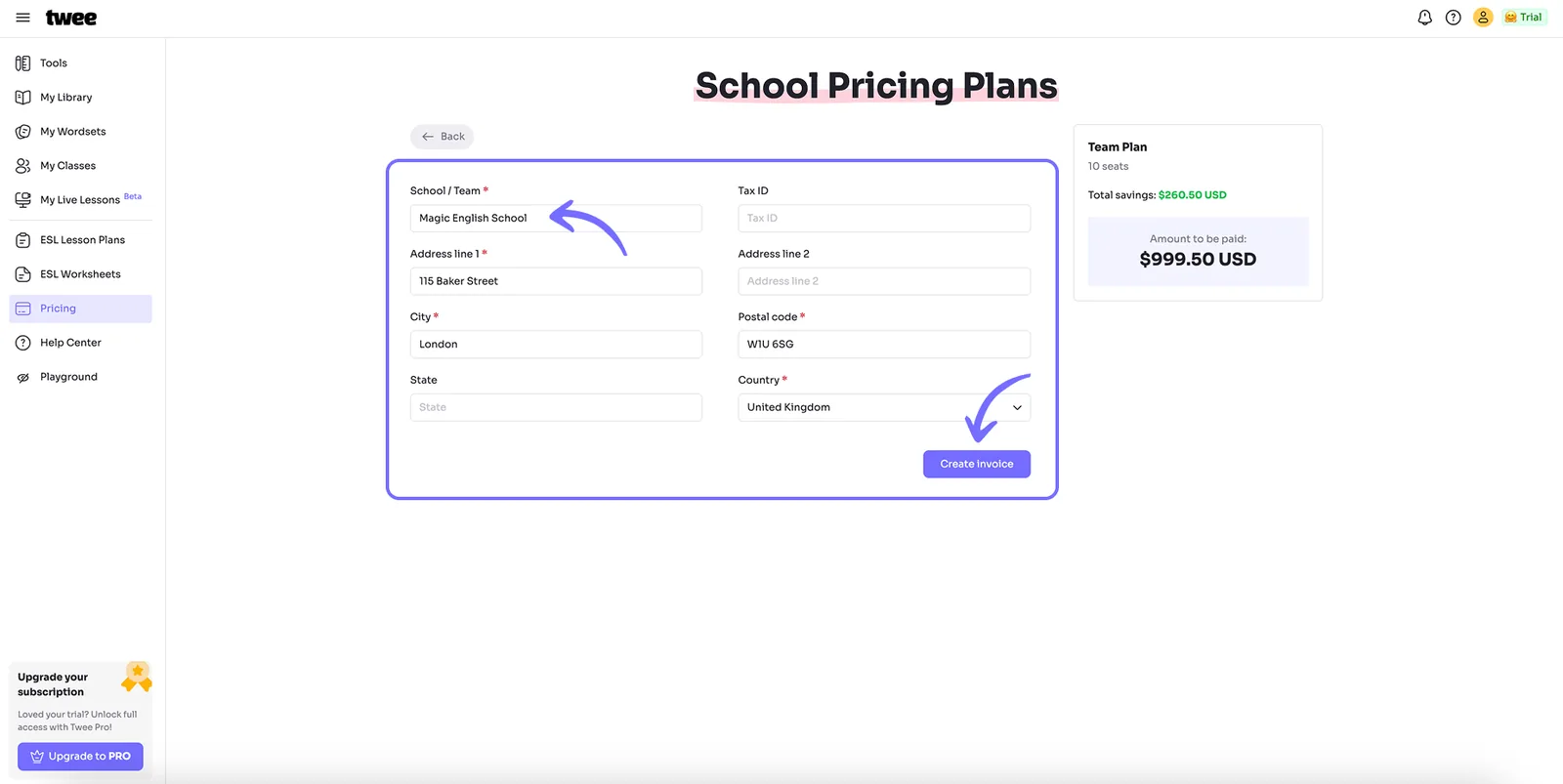
Start the payment process by selecting the number of teachers and entering your details.
Then click Create Invoice.
Step 2: Find your bank
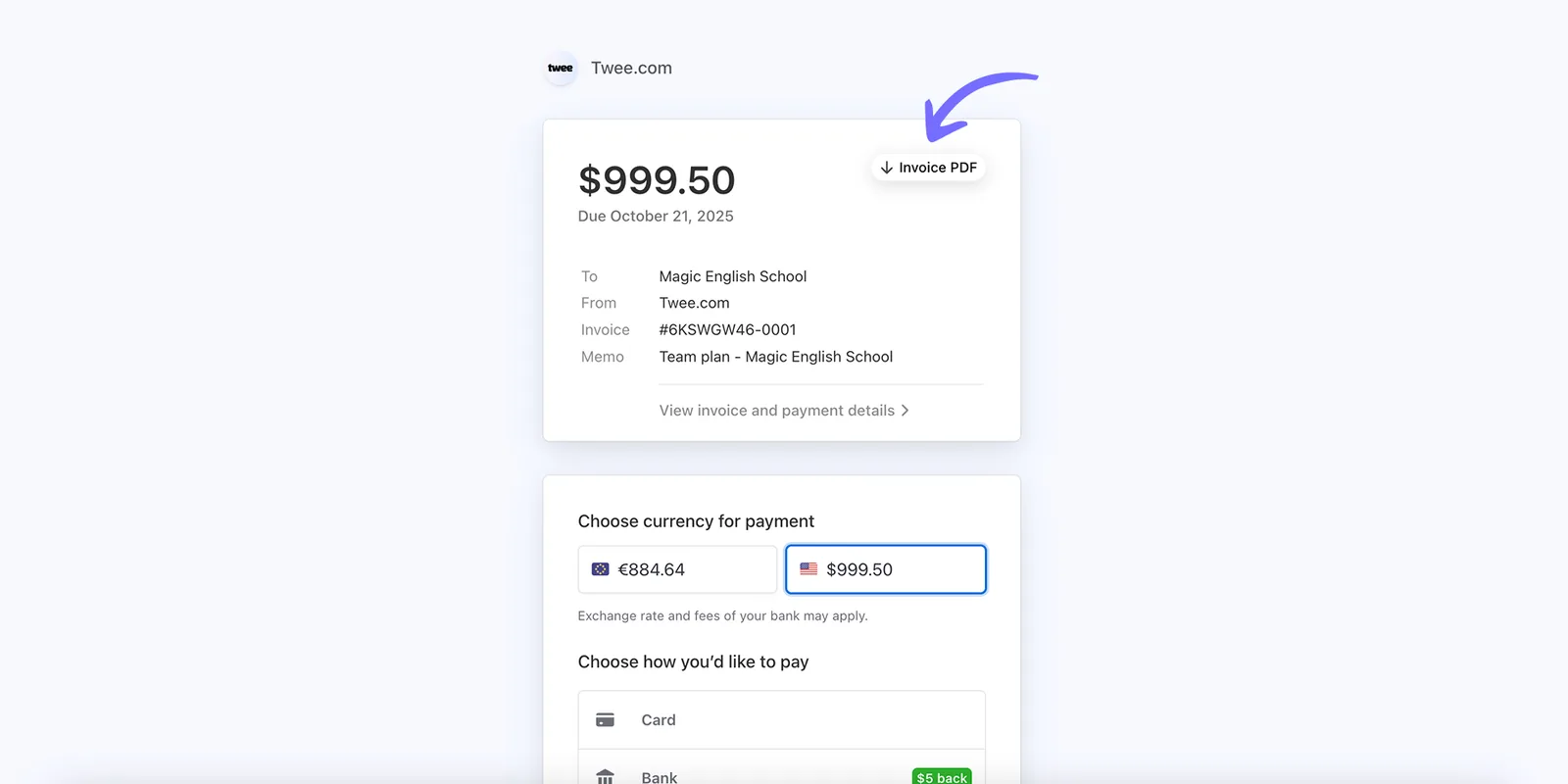
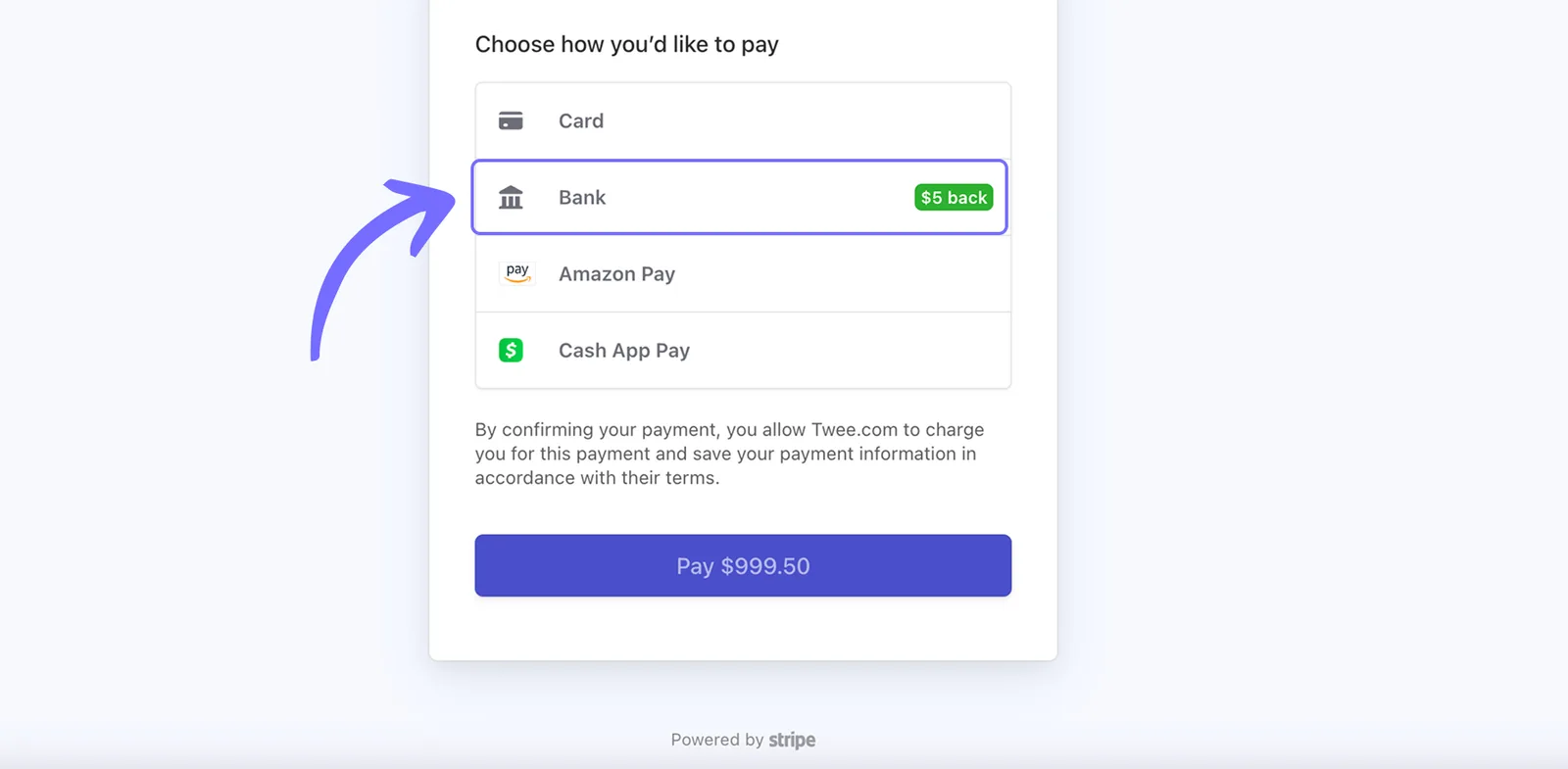
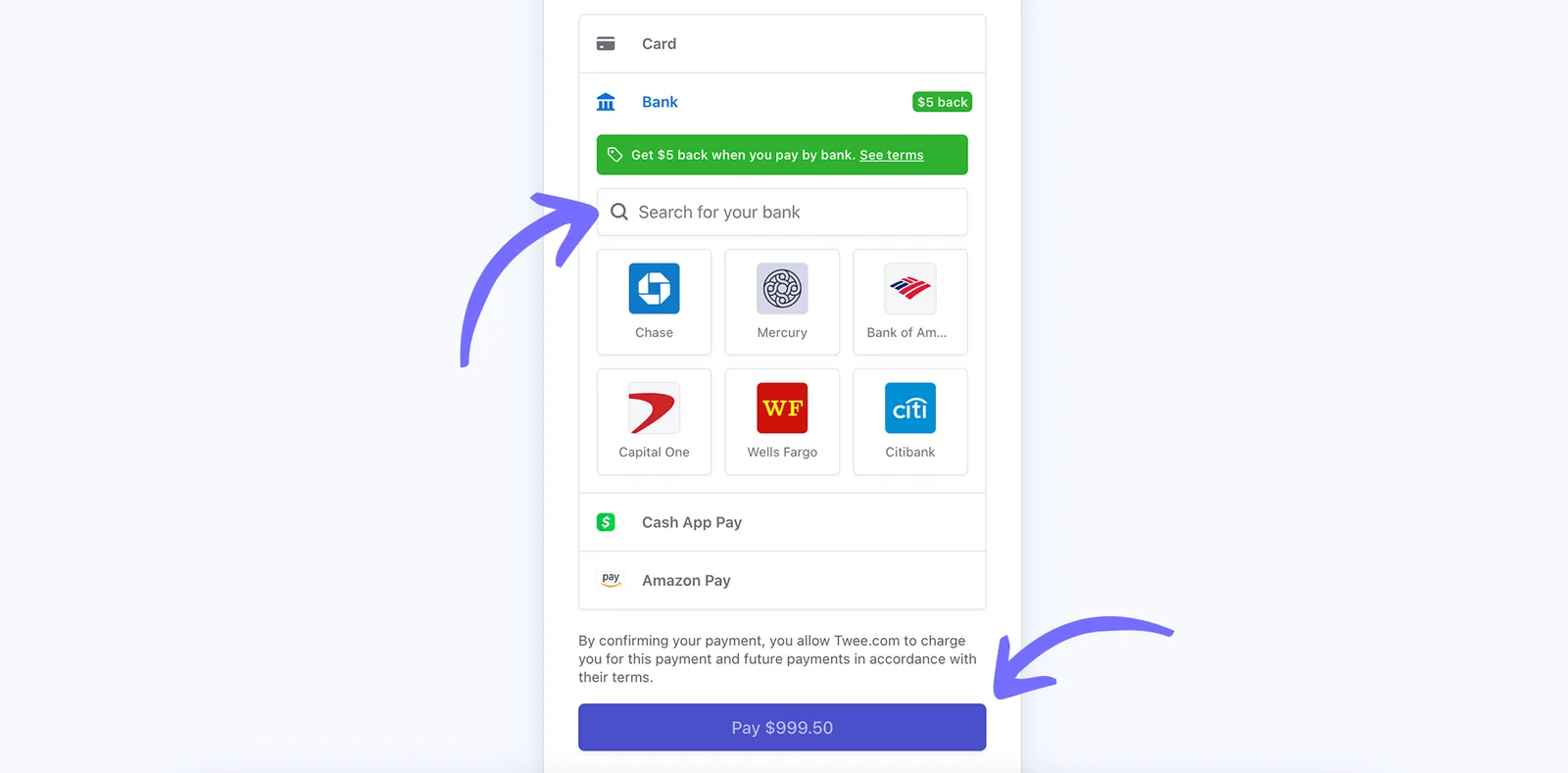
Click Create Invoice. Once it opens, you will see an option to pay via bank transfer among the available payment options. Search for your bank here.
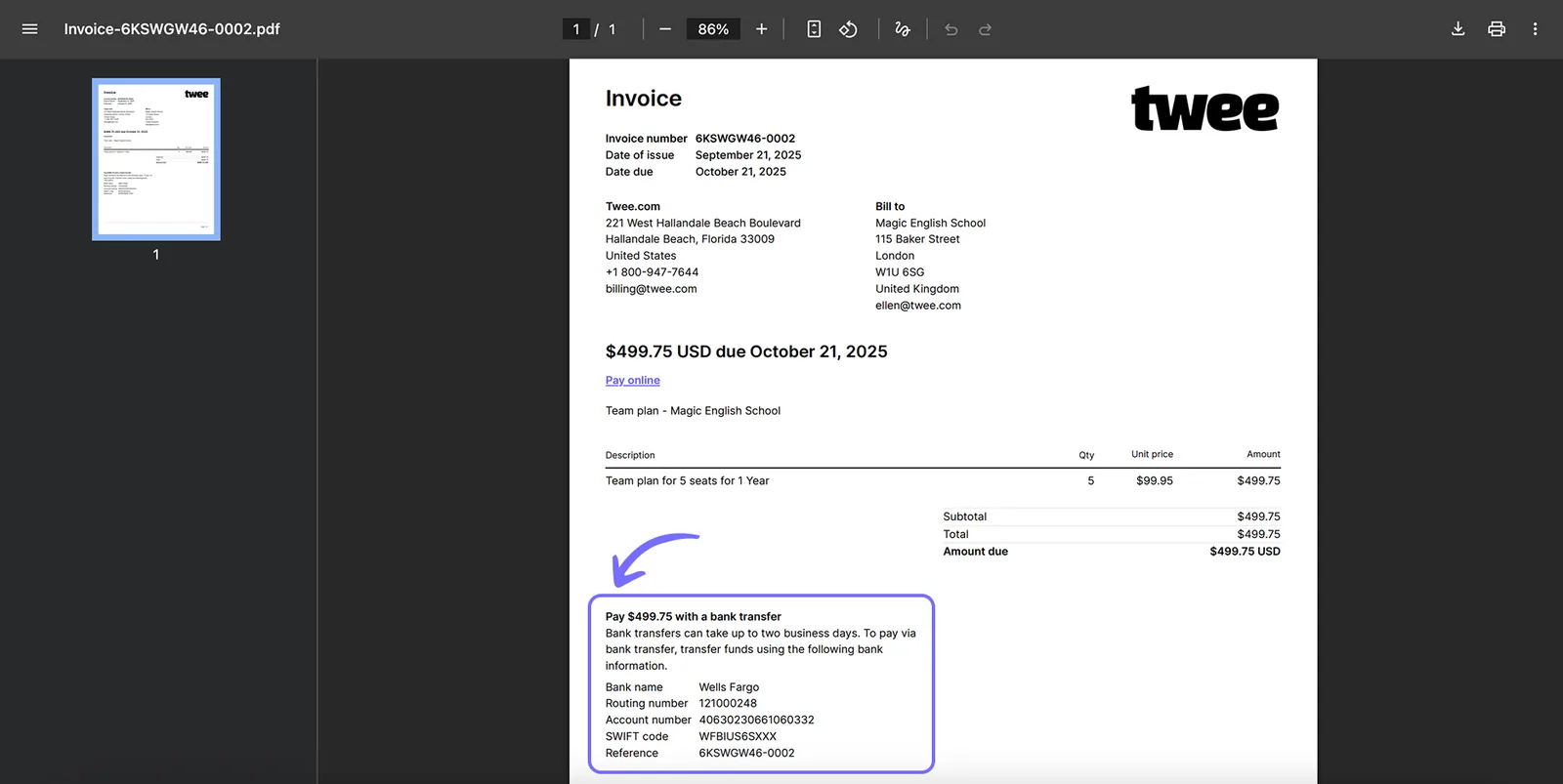
Step 3: Download the PDF invoice
You also have the option to download the invoice as a PDF. When you open the downloaded PDF, you will see the transaction details in the lower-left corner.