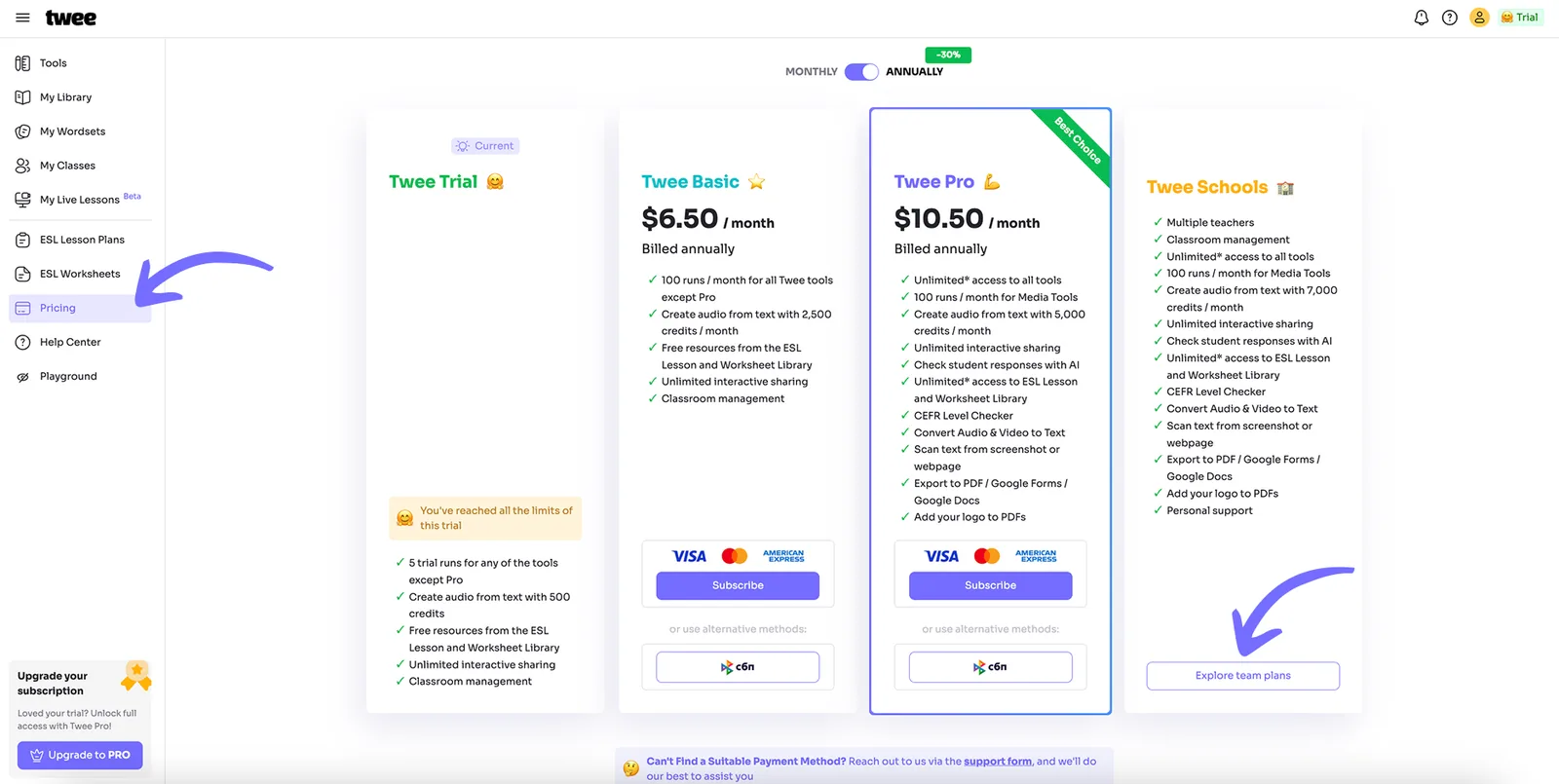
Step 1: Go to the school plans
Go to the Pricing page by clicking on it in the left-side menu. Find Twee Schools and click Explore School Plans.
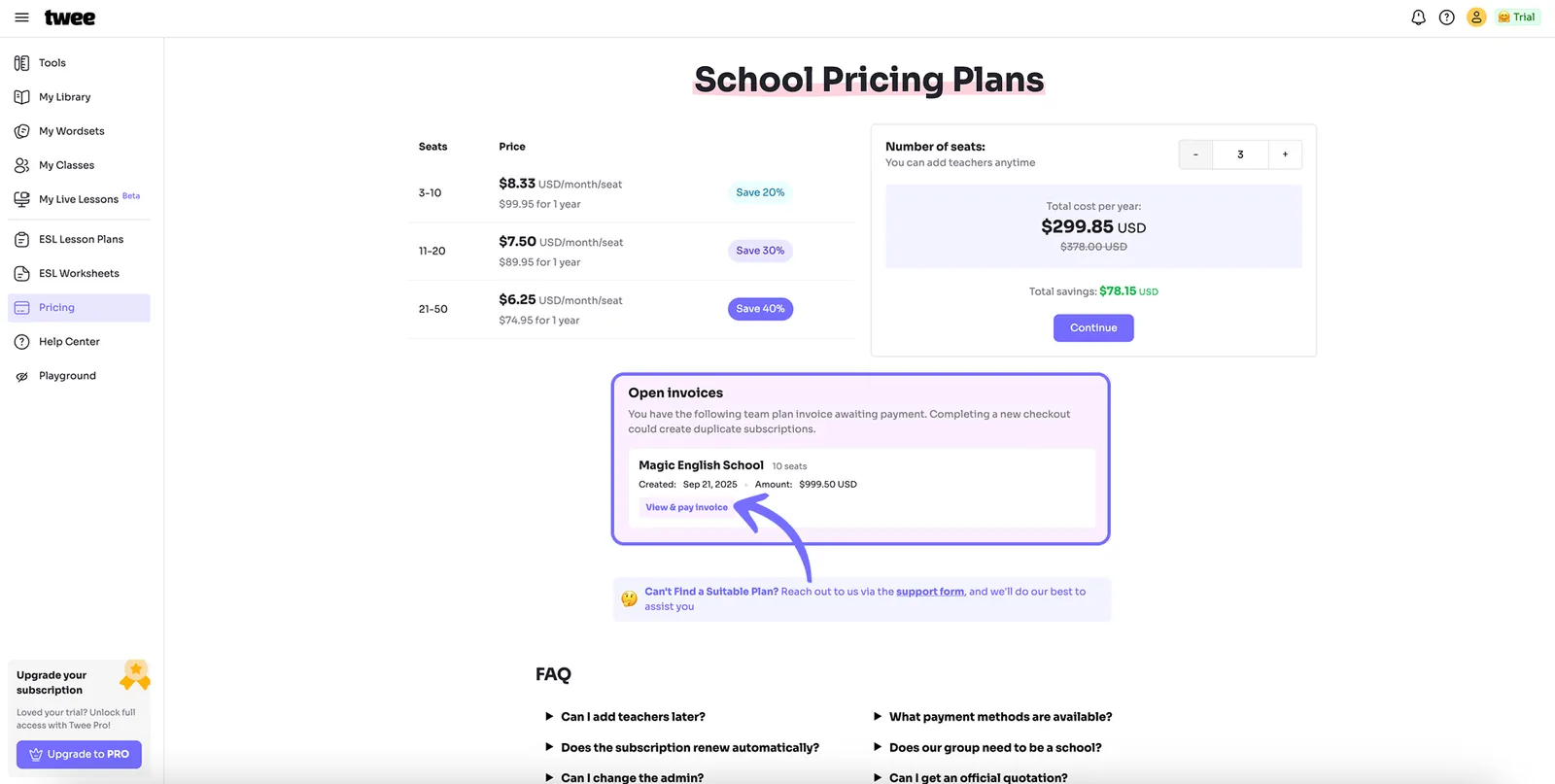
Step 2: Select your open invoice
You will be taken to the School Pricing Plans page, where you can see all your open invoices. Select the invoice you need and click View & Pay to proceed.