
How to Activate the Subscription
Step 1
Log in to your admin account and go to the School Management section by clicking on the person icon at the top of the screen and selecting School Management from the menu.

Step 2
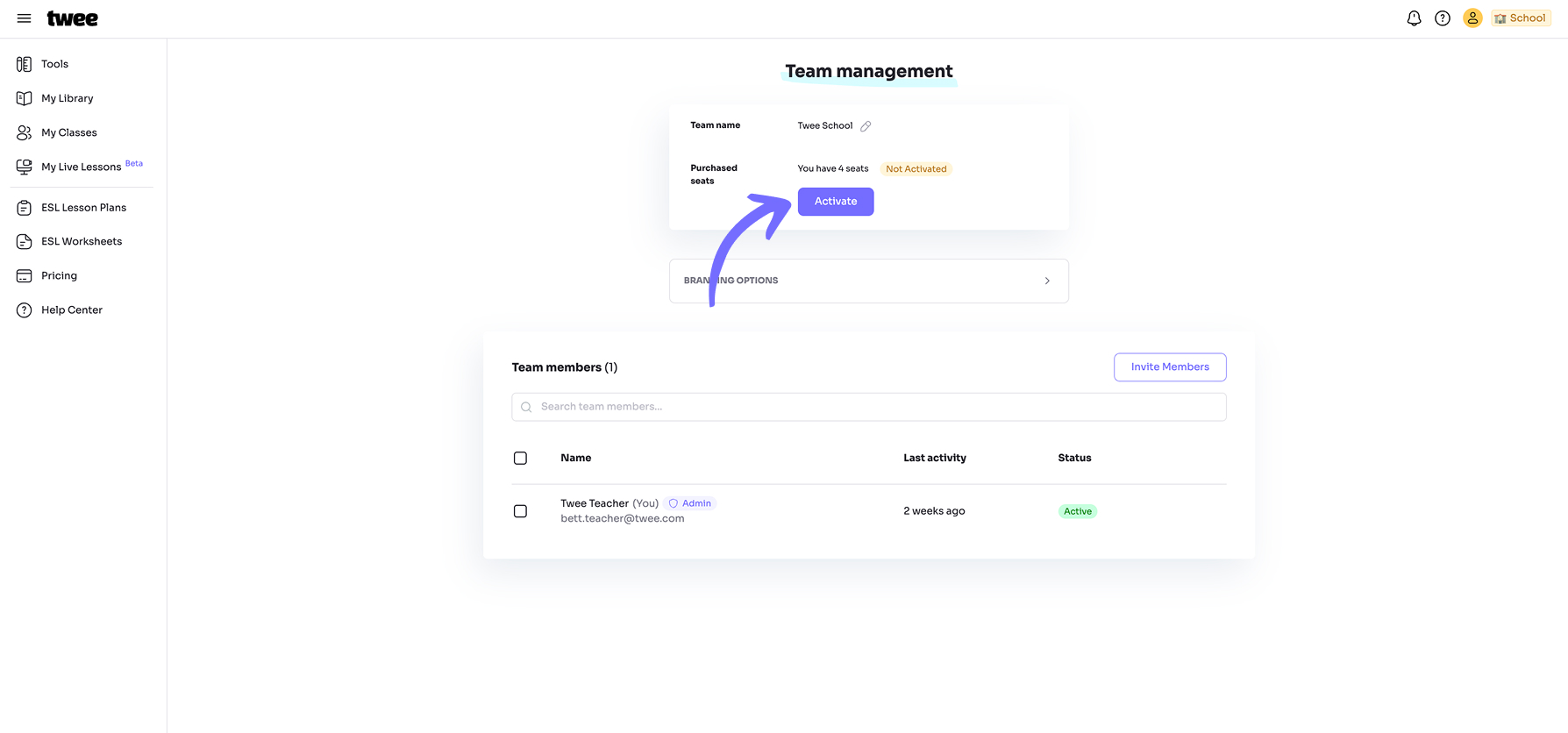
Next to the number of purchased seats, you will see the Activate button. Click on it.

Step 3
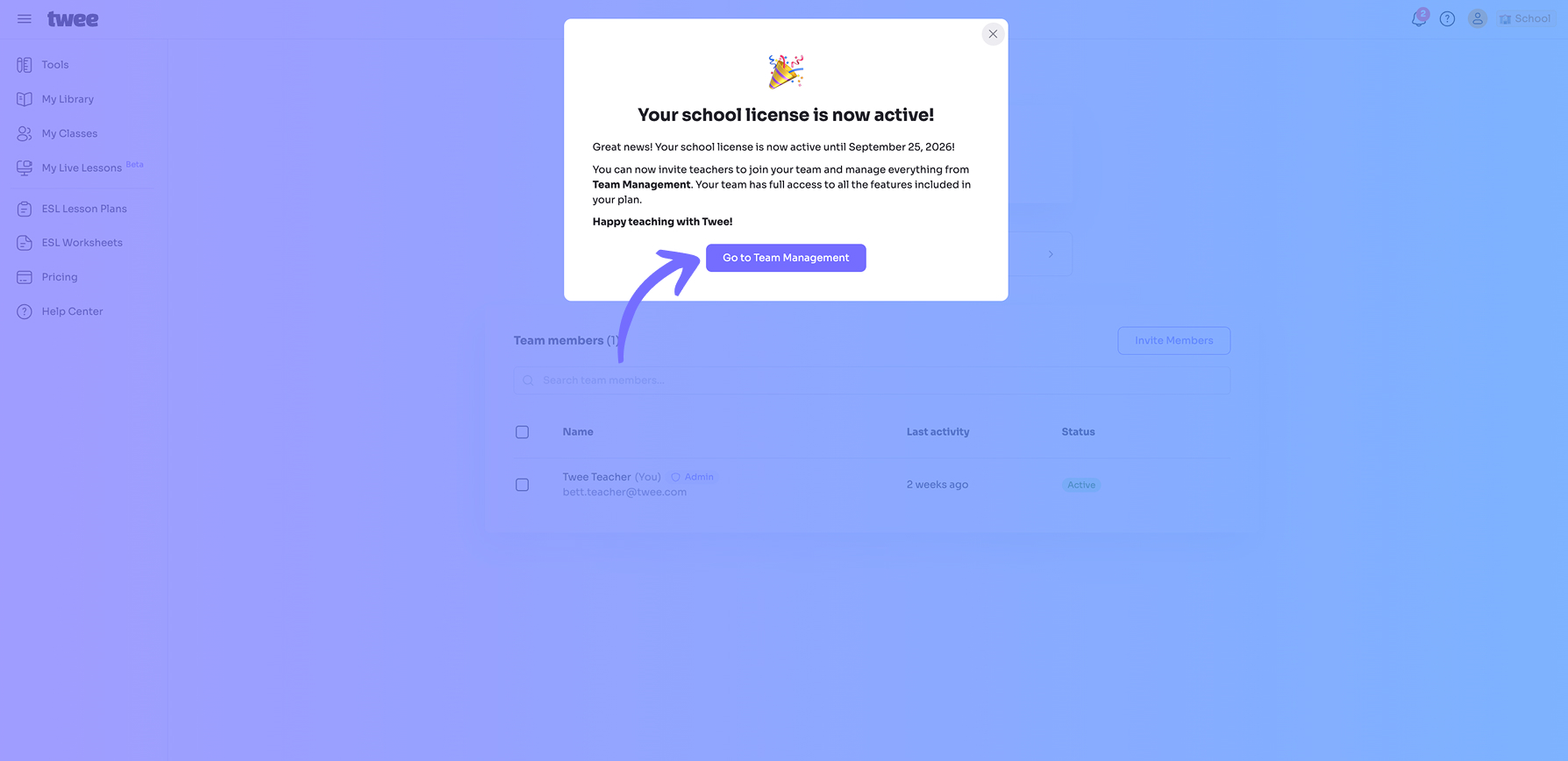
That’s it! A pop-up will confirm that your subscription has been successfully activated. You can now invite your team members.
Related Articles: