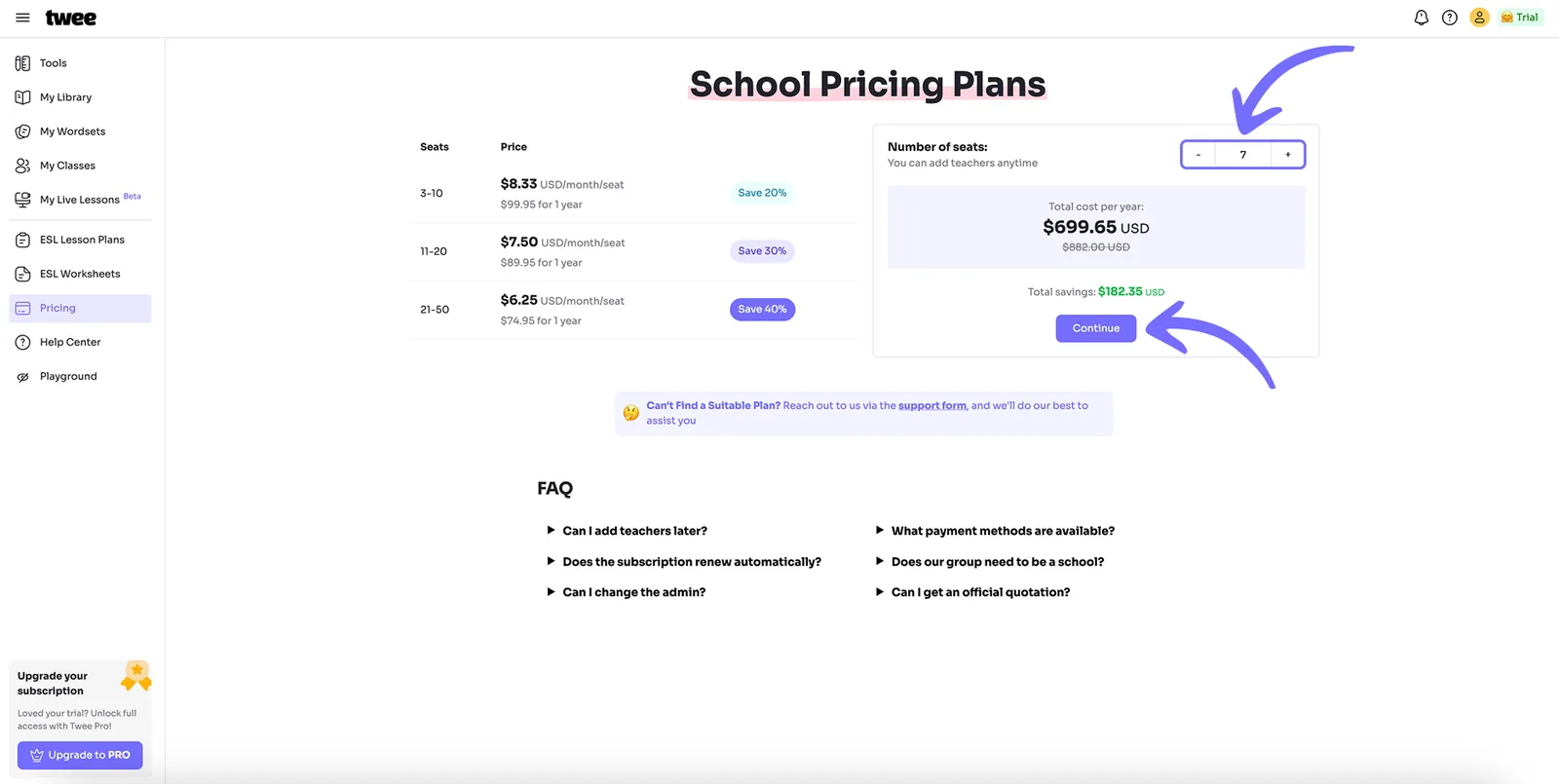
Step 1: Create your invoice
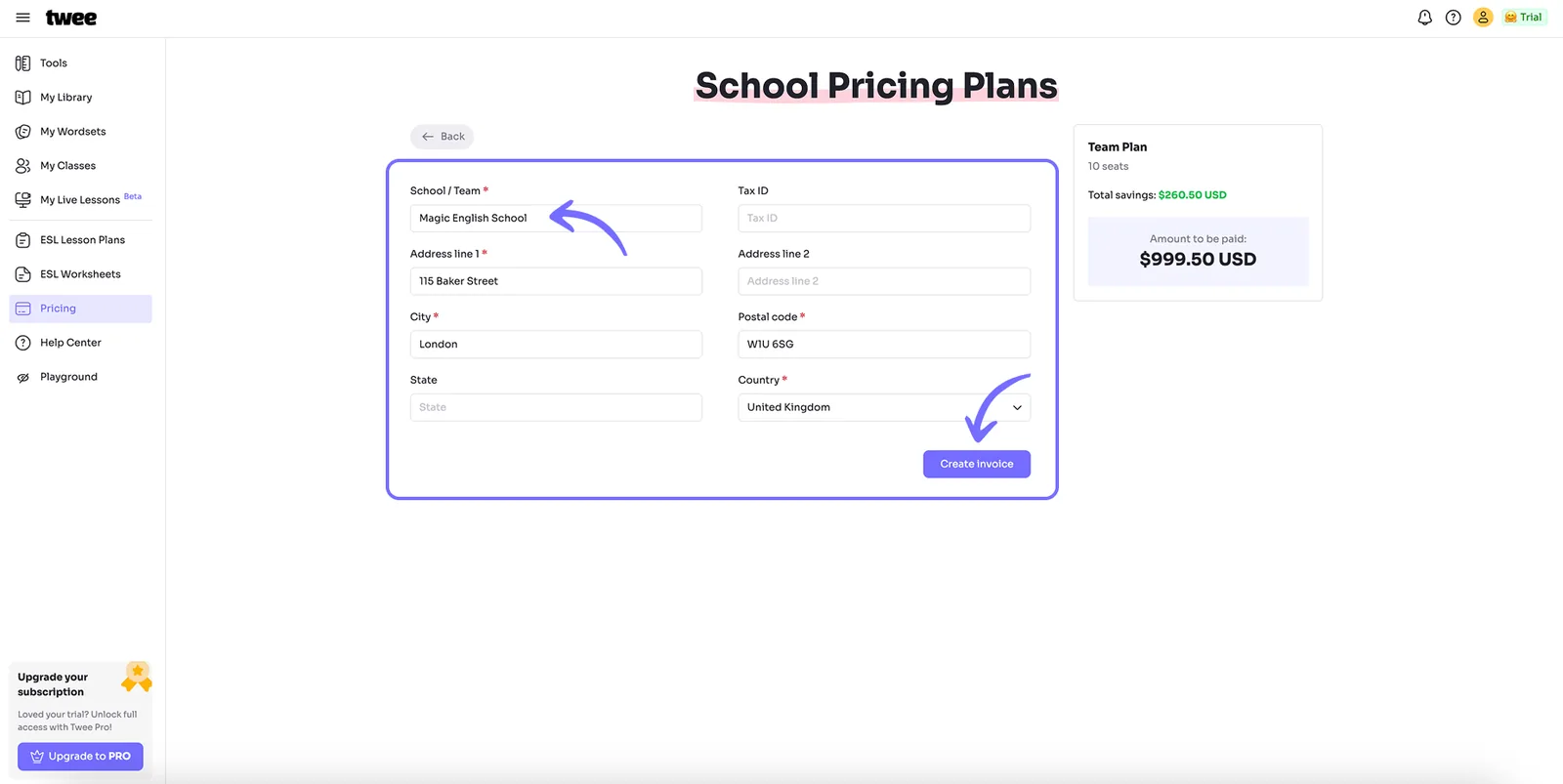
Start the payment process by selecting the number of teachers and entering your details.
Click Create Invoice.
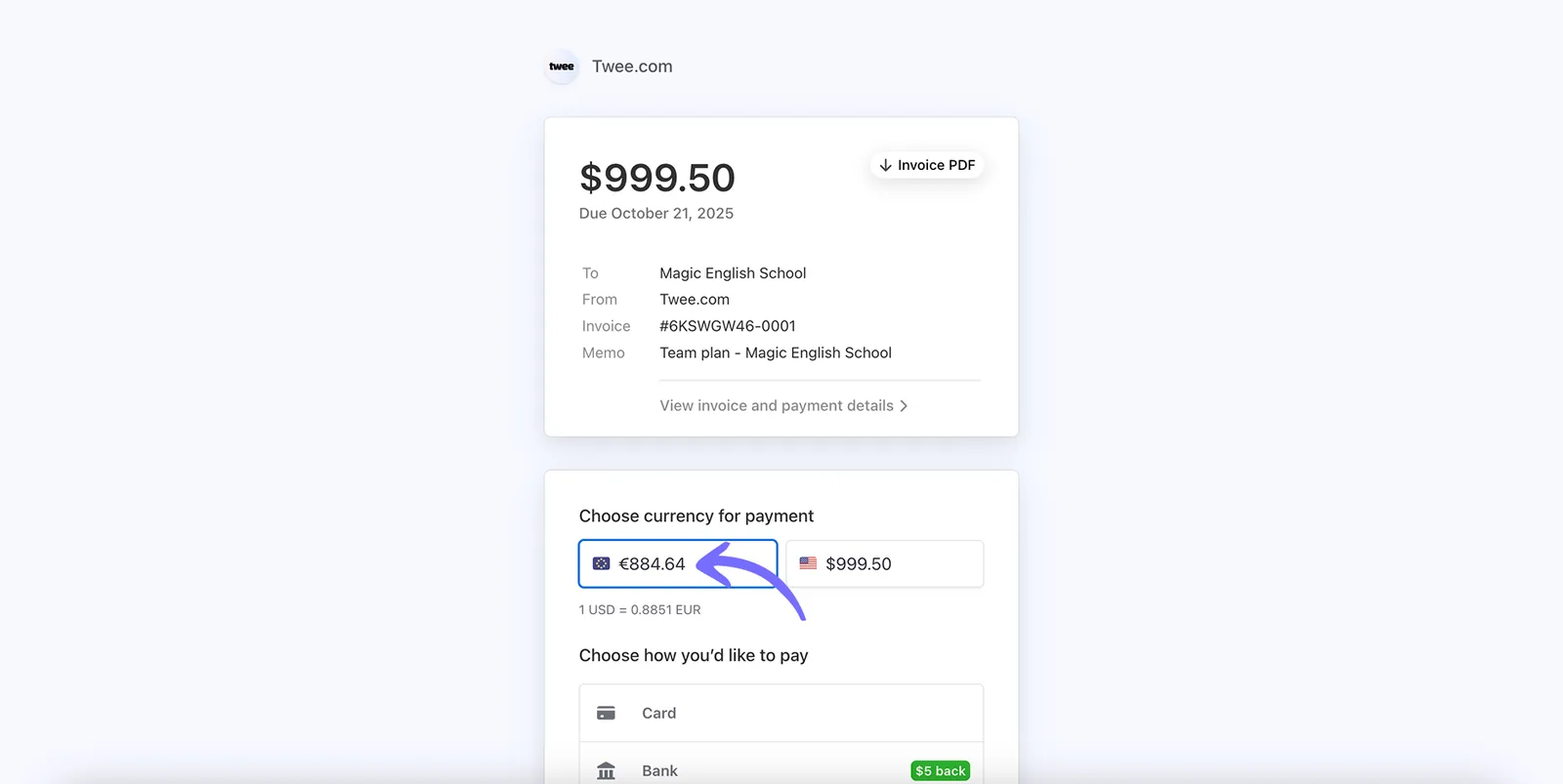
Step 2: Choose the payment currency
Once it opens, you will see an option to choose the payment currency and view the exact amount in that currency.
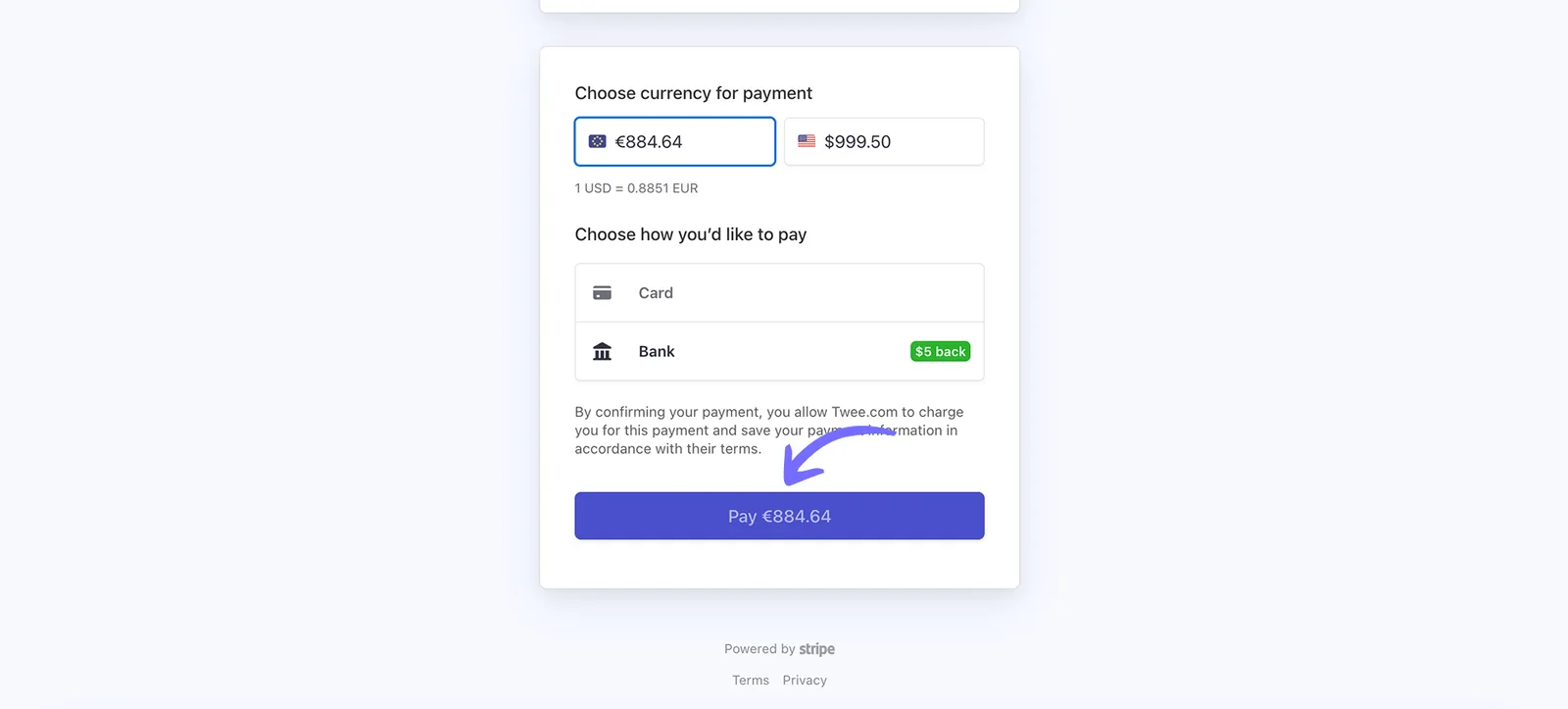
Step 3: Complete the payment
Select the payment method, fill in the details, and click Pay.